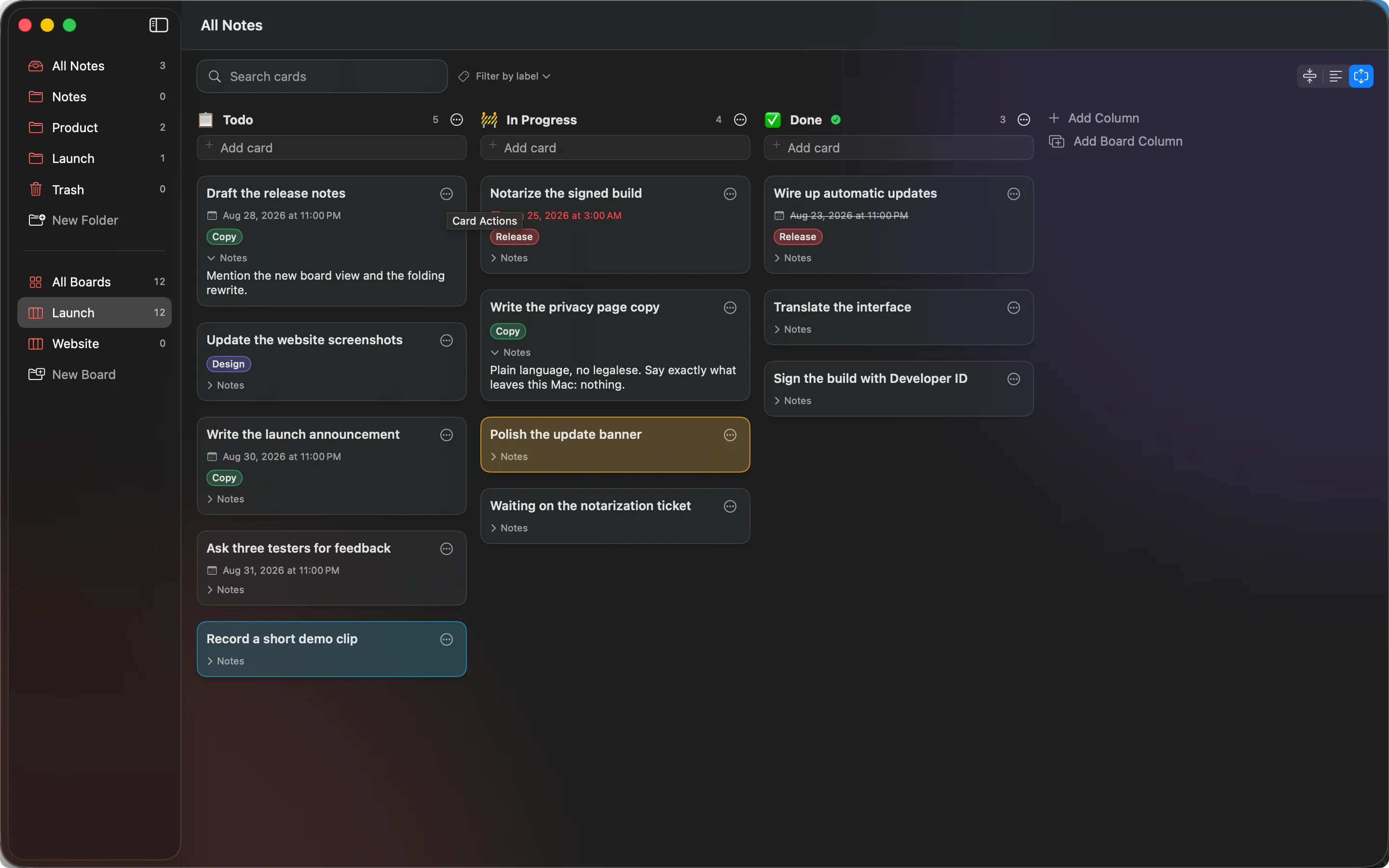
There is an Apple M4 Mac mini with 16 GB of memory on a shelf, running macOS 15, Xcode 26.6 and Swift 6.3.3, reachable only over SSH on the local network. On 5 September 2026 it spent an afternoon running the interface tests for both of our Mac apps, back to back, with the screen recording. MeatPad, our macOS notebook and code editor, is a SwiftUI app tested with XCUITest: 50 cases, starting at 12:58. MailVault, our local-first email archiver, is a Tauri app tested with WebdriverIO: 539 cases, starting at 14:43. That is 589 test cases on camera, on one machine, in one afternoon, and the two runs behave nothing alike.
Act one: MeatPad, fifty launches in 405 seconds
One command, on the left of the screen, against MeatPad 0.15.0:
xcodebuild test -scheme MeatPad -destination "platform=macOS" \
  -only-testing:MeatPadUITests
Everything else in that recording is a consequence of that line. Xcode builds the app and a second bundle called a test runner, then hands both to the machine. For every test case the runner starts the app from scratch, waits for its window, moves the pointer, presses keys, reads what came back, and terminates the app. Then it does it again for the next case. The windows appearing and vanishing are not a visual effect. That is the loop.
Why an XCUITest case costs seconds
The run finished 50 cases in 405.032 seconds. One of the 50 skips itself on purpose, so the 49 that actually ran average about 8.3 seconds each. Compare that with MeatPadKit, the framework underneath the interface, where a test averages nineteen milliseconds.
Three things buy that difference. The app is launched once per case, so every case pays for a cold start and for the window to settle. The test runs in a separate process and can only see the app through the macOS accessibility tree, so every question about the screen is a query across a process boundary rather than a memory read. And the pointer and the keyboard are real, so a drag takes as long as a drag.
Fifty throwaway worlds
A case that clicks a card needs a card to click. Nothing is injected into the running process, so the state has to exist before the app starts. Each case writes a fresh storage directory into the system temporary folder, seeds a board into it, and then launches the app pointed at it:
app.launchArguments = [
    "-meatpad.storageRootOverride", storageRoot.path,
    "-meatpad.revealBoard", boardID.uuidString,
    "-hasSeenFirstRunIntro", "YES",
]
Those three flags are real code in the release binary. They exist so a test can reach a screen, and they ship to everybody. That is the honest cost of testing a native interface from outside it, and we would pay it again, but it should be said out loud rather than discovered by someone reading the source. The upside is that the run leaves nothing behind: every case deletes its directory in teardown, so your own boards are never touched, and a failure cannot poison the next case.
Start with a note. Stay for the editor. MeatPad is a native macOS notebook and code editor: plain files on your Mac, no account, no sync engine, no telemetry.
See MeatPad →The clock, suite by suite
MeatPad 0.15.0 · MeatPadUITests · Apple M4 Mac mini · 2026-09-05

  BoardCardDisplay      4 cases     49.973 s
  BoardCardEditor       9 cases     68.393 s
  BoardCardFace         5 cases     31.313 s
  BoardCardLink         2 cases     14.380 s
  BoardDrop             3 cases     30.463 s
  BoardLabel            8 cases    102.638 s
  BoardNewline          5 cases     26.818 s
  BoardSearch           5 cases     36.664 s
  BoardShot             1 skipped    0.020 s
  NamePrompt            1 case       6.943 s
  NoteLink              1 case      17.615 s
  OpenWith              6 cases     19.812 s

  total                50 cases    405.032 s
Twelve suites, and each is named for what it guards: the three card display modes, the card editor with its colour swatches and due dates, in place title editing and dragging a card between columns, links inside card notes, drop targets, labels and label filtering, line breaks in the quick add field, search, the new board sheet's keyboard focus, the note editor's link hint, and the six cases that ask Launch Services whether MeatPad is offered for every file type it claims.
BoardLabel is the expensive one at 102.638 seconds for 8 cases, because label filtering removes cards from the view a frame or two after the keystroke, so those cases sit in a polling loop waiting for the column to settle. The slowest single case in the run was 27.992 seconds, checking that a long card title clips in the compact display and wraps in the other two, which means measuring the same title three times in three launches. The fastest case was 1.507 seconds, asking Launch Services whether MeatPad is offered for each file type it registers, which needs the app running but never touches its window.
The summary line that will lie to you
MeatPad's Xcode project is generated from a manifest and is not committed. That is convenient until the day you add a test file, forget to regenerate, and run the suite anyway. Nothing is wrong from xcodebuild's point of view. It compiles the project it was given, runs the zero tests inside it, and prints the two words everybody looks for:
** TEST SUCCEEDED **A run that executed nothing looks exactly like a run that executed everything. So the line worth reading is never the last one. It is the count above it, which says how many cases actually happened. Here are the last lines of the run in the recording above. The terminal in the video pipes xcodebuild through a grep and a sed, so it prints a shortened form of the same output and the lines fit beside the app window. The command itself is unchanged:
[OpenWithUITests]
  testAMultiSelectionOpensEveryFileAsATab passed 3.799s
  testASecondFileJoinsTheWindowThatIsAlreadyOpen passed 4.066s
  testLaunchServicesOffersMeatPadForEveryFileTypeItClaims passed 1.507s
  testOpeningAFileShowsItAsATabInAProjectWindowForItsFolder passed 3.825s
  testOpeningAFolderOpensItAsTheProjectWithNoTabs passed 3.950s
  testOpeningAnExtensionlessFileOpensItToo passed 2.665s
  Executed 6 tests, with 0 failures in 19.812 s
  Executed 50 tests, with 1 test skipped and 0 failures in 405.032 s

All tests passed
  Executed 50 tests, with 1 test skipped and 0 failures in 405.032 s
** TEST SUCCEEDED **
Fifty cases, one skipped on purpose, no failures, 405.032 seconds. The count and the last line agree, which is the only combination worth trusting.
What happened before the green take
The recorded run was not the first of the day. An unrecorded one at 12:19 went red: the same 50 cases, 1 skipped, and 2 failures, both of them in OpenWith, the multi selection case and the second file case, the two you can see passing at 3.799 and 4.066 seconds in the excerpt above. The crash reports say the app aborted 0.75 seconds after launch, inside SwiftUI's own launch path, on an AttributeGraph precondition failure raised from applicationWillFinishLaunching while the Dock was still notifying the app. Nothing had been handed to it yet, so this is not the open-file code. Those same 6 OpenWith cases, run on their own straight afterwards, passed 3 times out of 3, which is 18 cases out of 18, and all 6 passed again in the recorded run. It looks like a launch timing flake that only appears when the suite relaunches the app back to back. It is still under investigation, and it is not edited out of anything.
One thing found during the setup is worth its own paragraph. To fit the app beside the terminal, we first shrank MeatPad's saved window frame from 1440x900 points to 1010x900. Four cases failed at once: the colour swatches in the card editor, a label filter and a search, all of them purely because the element they were reaching for was off screen. Run again at the original 1440x900 frame, the same set passed 9 out of 9. Window size is an input to a UI test, and this suite silently assumes the app's default frame. That is why the recording shows MeatPad at its default size on the right and a narrow terminal on the left.
Two earlier takes went in the bin for reasons that had nothing to do with MeatPad: a stale crash dialog left over from the 12:19 run sitting on the screen in one, and, in the other, the MailVault suite from another job putting its own windows on top halfway through, because the mini is a shared machine. Which is a decent introduction to the second half of the afternoon.
Act two: MailVault, 81 spec files in sixteen minutes
MailVault 2.11.3 is built the other way: a Rust core with a web front end, packaged by Tauri. Its end-to-end suite is driven by WebdriverIO, and the command at 14:43 asked for two of its three suites:
npx wdio run wdio.conf.js --suite ui-headless --suite connected-ciThe ui-headless suite is 7 spec files covering the welcome state with no accounts configured. The connected-ci suite is 74 spec files that run against seeded mock IMAP accounts. That is 81 spec files. A third suite, local-manual, holds 6 more spec files for backup, migration, archive and visual checks, and was not part of this run.
Spec Files: 80 passed, 1 failed, 81 total (100% completed) in 00:16:03Eighty spec files passed, one failed, 81 in total, in 16 minutes and 3 seconds by wdio's own clock. The video runs 16:18 because it starts before the command and ends after it. Underneath those files sit 539 test cases: 533 passing, 5 skipped and the one failure. The ui-headless half contributed 55 passing and 3 skipped in about 56 seconds of test time, and connected-ci contributed 478 passing, 1 failing and 2 skipped in about 811 seconds.
The app is launched once per spec file rather than once per case, so the afternoon's 539 MailVault cases cost 81 launches. A spec file averages about 10.7 seconds and the median is 6 seconds, which tells you the average is carried by a handful of long ones: connected-custody-claims at 54.3 seconds for 9 tests, connected-performance at 53.4 seconds for 7, connected-compose-editor at 39.6 seconds for 19, connected-compose-autosave at 38.7 seconds for 15. The quickest file, connected-backup-partial-failure, ran its 5 tests in 32 milliseconds. The busiest, connected-email-viewer, holds 21 tests. All of this sits on a much larger and much cheaper base: 2,683 vitest unit tests in 216 files finish in 6.77 seconds, 318 Rust tests cover the core, and the two recorded suites are 518 it() cases in source.
Two things in the recording need a word. The terminal on the left prints only wdio's per file RUNNING, PASSED and FAILED lines, because wdio saves its detailed report for the very end of the run. And near the end, the export spec opens an exported message in Preview, which covers the terminal for the last minute; that is the test doing its job, not an accident.
What the harness sets up
Each run starts its own mock IMAP servers with three seeded accounts, luke, vader and yoda at mock.test, and vader's INBOX holds 700 messages, comfortably more than the app's paging windows, so pagination is exercised rather than assumed. A fourth account gets added by a test you can watch being typed in. The app under test is a build with the webdriver feature enabled, started by tauri-wd, the tauri-webdriver-automation crate, and it runs against a throwaway HOME directory so a real vault is never touched. That harness has its own write up in Field Note 004.
The one failure, unclassified
One case out of 539 failed: the spec connected-storage-matrix, test "a row deleted in unified mode stays gone across account churn and a reload". Its helper switchToUnified asserts immediately that the sidebar's All Inboxes button exists and is visible, with no wait, and it runs right after the previous test reloaded the app. Expected true, received false. We could not rerun that single spec afterwards, because every attempt to start a fresh driver session in that checkout failed before it reached the driver, with an undici UND_ERR_INVALID_ARG on the session request. So it stays unclassified. It reads like a missing wait after a reload rather than a product bug, and it stays in the video.
1.8 seconds a case against 8.3
539 MailVault cases in 963 seconds of wall clock is about 1.8 seconds a case. MeatPad's 49 executed cases in 405.032 seconds are about 8.3 seconds each. Same machine, same afternoon, roughly a factor of five between them.
Two structural reasons, not one clever optimisation. WebDriver executes JavaScript inside the running application and reads the DOM directly, so a check resolves against one of the 494 data-testid hooks in the end-to-end specs instead of crossing a process boundary into the macOS accessibility tree. And the launch arithmetic differs: 539 MailVault cases cost 81 app launches, while 50 MeatPad cases cost 50. We measured that gap properly a couple of weeks ago in Field Note 006.
None of which makes one app better tested than the other. The suites check different products, and 8.3 seconds a case is the price of driving a native interface the only way macOS offers from outside the process.
Run them yourself
git clone https://github.com/GraphicMeat/MeatPad
cd MeatPad
brew install xcodegen
xcodegen generate
xcodebuild test -scheme MeatPad -destination "platform=macOS" \
  -only-testing:MeatPadUITests
Do not skip the xcodegen line, for the reason above. The MeatPad source is on GitHub. MailVault's suite is one more clone and the same command that ran on camera:
git clone https://github.com/GraphicMeat/mail-vault-app
cd mail-vault-app
npm install
npx wdio run wdio.conf.js --suite ui-headless --suite connected-ci
All of it is public, the MeatPad flake and the one MailVault failure included, and the MailVault source sits next to MeatPad's on GitHub.
Local-first Mac software, with the measurements attached. MailVault keeps your mail in a vault on your own disk, and a machine clicks through the whole app before every release.
See MailVault →