
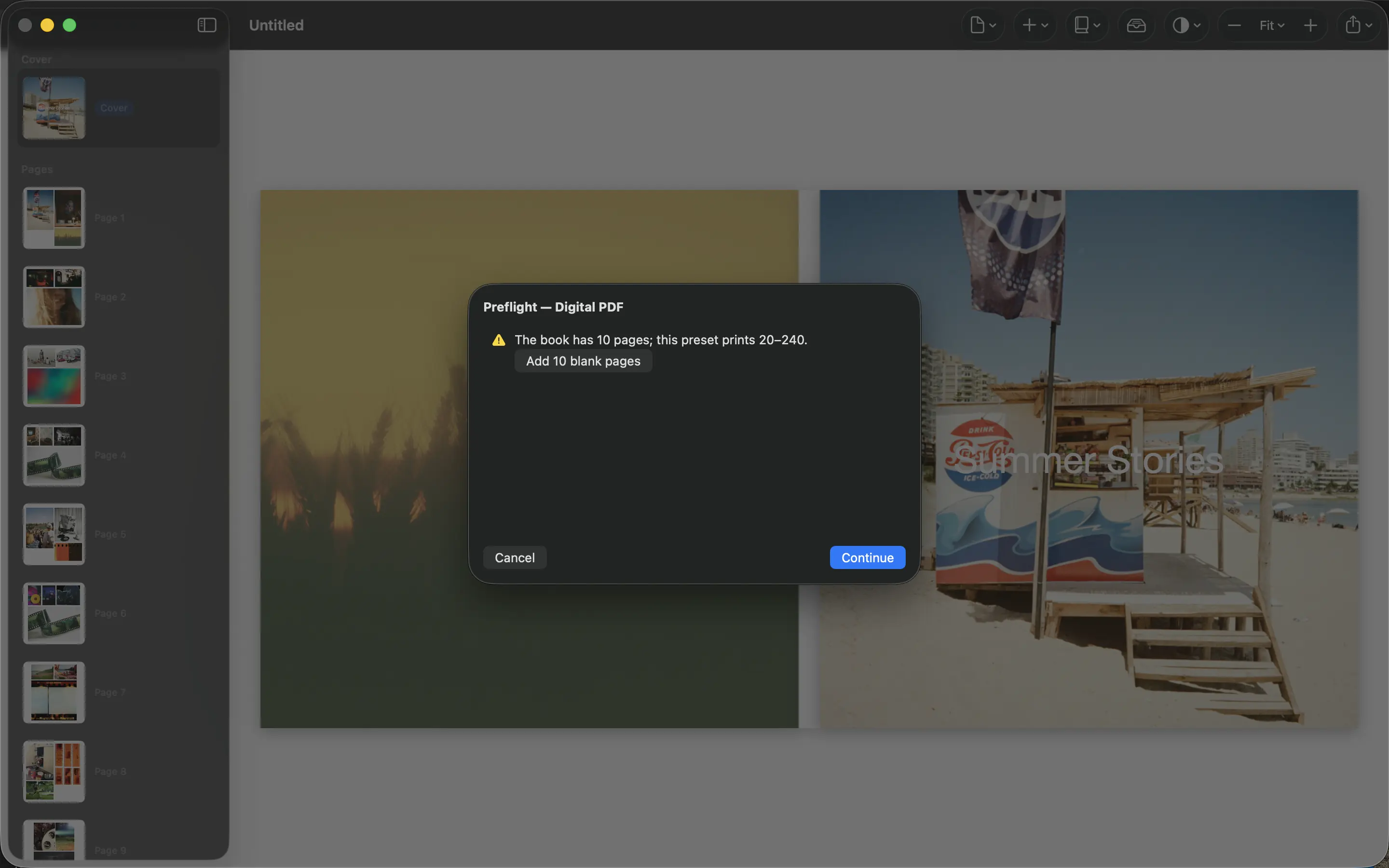
The last review is easier when it has a structure. Trying to check the story, spelling, crops and print settings at the same time makes obvious mistakes surprisingly easy to miss. Use separate passes through the actual exported PDF.
Read for content first
Check the beginning, sequence and ending without changing the layout. Look for missing people, repeated photographs and a chapter that jumps unexpectedly. Confirm names, locations, dates and the cover title against your notes.
Ask someone else to read the captions if possible. A fresh reader spots an unexplained reference more easily than the person who wrote it. Keep corrections in one list so the next export can be checked against specific changes.
Inspect every image at final size
Review faces and important details near crop edges. Check small images for recognizable subjects and large images for inadequate detail. Look at adjacent pages together so an awkward pairing or repeated arrangement becomes visible.
Inspect margins around the binding as well as the outer edges. A photograph can remain inside the page boundary and still place its subject too close to the gutter. Use the printer’s safe-area specification rather than guessing.
Confirm the delivery requirements
Verify PDF page size, page count, order, bleed and the service’s requirements for pages versus spreads. Check whether the cover needs its own file. Open the final export outside PhotoBooks and make sure the filename identifies the approved version.
Upload that exact file to the printer and inspect its preview. For an important book or a multiple-copy order, approve a physical proof first. Archive the submitted PDF and order details together. Once production starts, changes to your local project do not change the file already sent.
Sources and product details
Keep reading
- How to turn an Apple Photos album into a photo book
- How to choose photos for a book without spending all weekend
- One year, one photo book: a simple family tradition
Make a book from your own photographs. Choose an Apple Photos album, refine the pages and export a PDF for printing or sharing.
Explore PhotoBooks →