
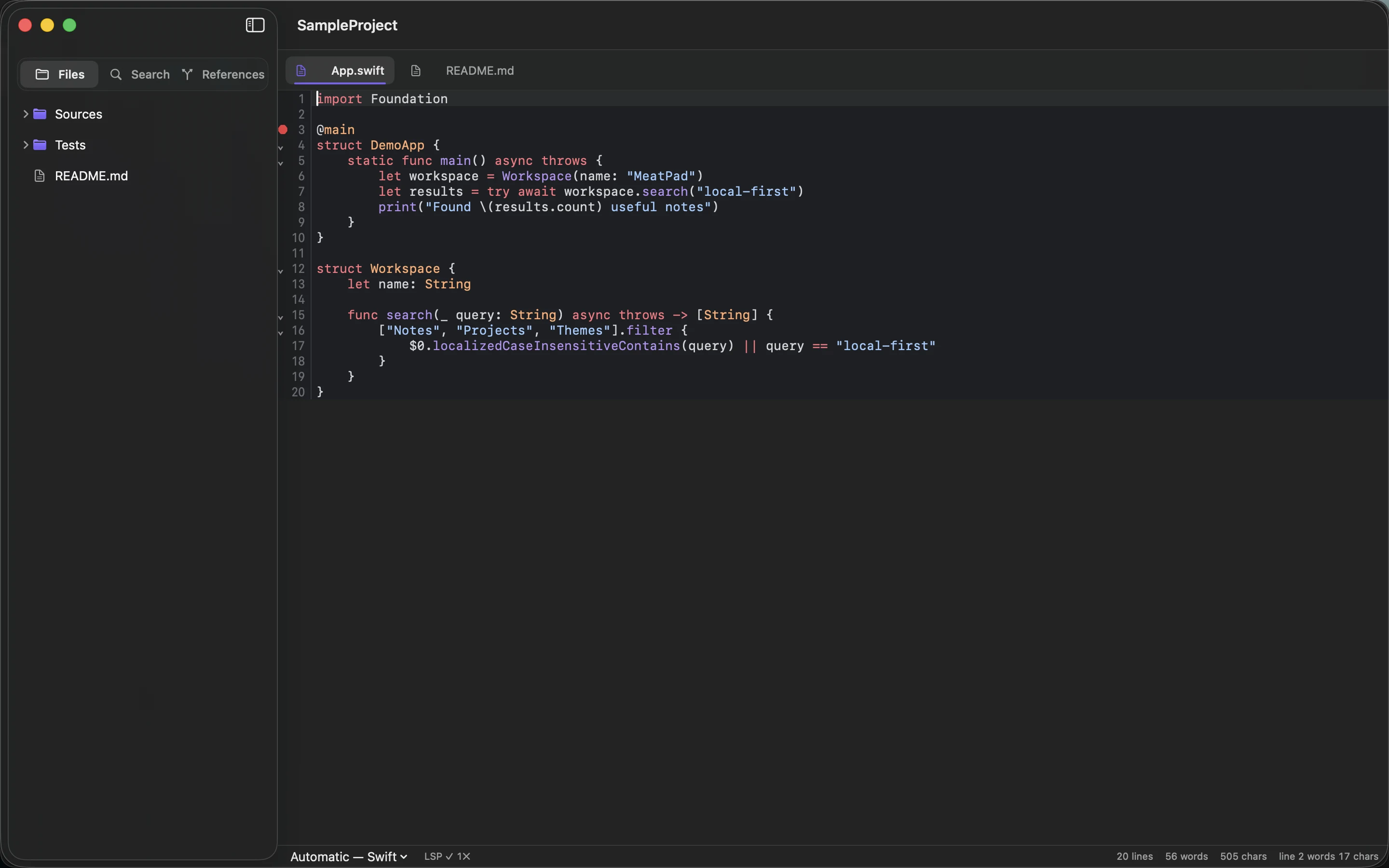
A snippet without context becomes a guessing exercise. You may remember why you saved it today, but six months later the missing input, dependency or assumption can matter more than the code itself.
Save the problem with the solution
Give the note a descriptive title and explain what the snippet does. Record the language, relevant version and any dependencies. Include the smallest example input and the output you expected when you tested it.
If the snippet came from a source, keep the source link and check the terms for reuse. Do not remove attribution simply because the fragment is short. Keep secrets, real customer data and environment-specific credentials out of the saved example.
Explain the assumptions
State which inputs the code accepts and which it does not. Note whether it changes files, calls a service or needs permissions. A command that looks like a convenient shortcut can have a very different effect in another directory.
Use a fenced code block with a language label where your Markdown renderer supports it. MeatPad’s project editor can keep the note beside related source files. Syntax highlighting aids reading; it does not establish that the snippet is correct.
Recheck before reuse
Run the snippet against a small, non-critical example in the environment where you plan to use it. Compare the result with the saved expectation. Dependencies and APIs can change after the note was written.
Add a last-verified date when the fragment becomes part of a repeated workflow. If its context has grown into a whole program, promote it to a maintained script rather than accumulating corrections in a note. The useful snippet is the one you can explain and test, not merely the one you can paste.
Sources and product details
Keep reading
- How to write a README people can actually follow
- Meeting notes that lead to clear next steps
- When a plain text file is enough
Start with a note. MeatPad gives notes, Markdown and project files a local workspace on your Mac, without an account requirement.
Explore MeatPad →