Getting started
Make your first book, choose the right download and find your way around the editor.
PhotoBooks 1.2.0 · User guide · Reviewed
Install PhotoBooks#
PhotoBooks runs on macOS 15 or later, iOS 18 or later, and iPadOS 18 or later. Choose the direct Mac download or the App Store version for your device. The app and PDF export are free, with no account or export watermark. Paying a printer is separate.
These guides follow PhotoBooks 1.2.0. Screenshots and videos show the Mac app; on iPhone and iPad, use taps and the available menus in place of mouse actions. Toolbar placement can differ with screen size.
Create your first book#
- Start a new book. Choose From Photos for your Apple Photos library or From Folder for image files.
- Select your photos. In Refine your selection, keep every photo or create a balanced selection and review what is included.
- Choose a book shape: Landscape, Square or Portrait. Choose a physical size on the next screen.
- Choose how much space standout photos receive and select Framed, Tiled or Borderless edges.
- Select Create my book. Review the cover and pages in the editor, then save the editable document.
- Select Export when you are ready to make a PDF. Resolve missing photos and review the preflight warnings before continuing.
Find your way around the book#
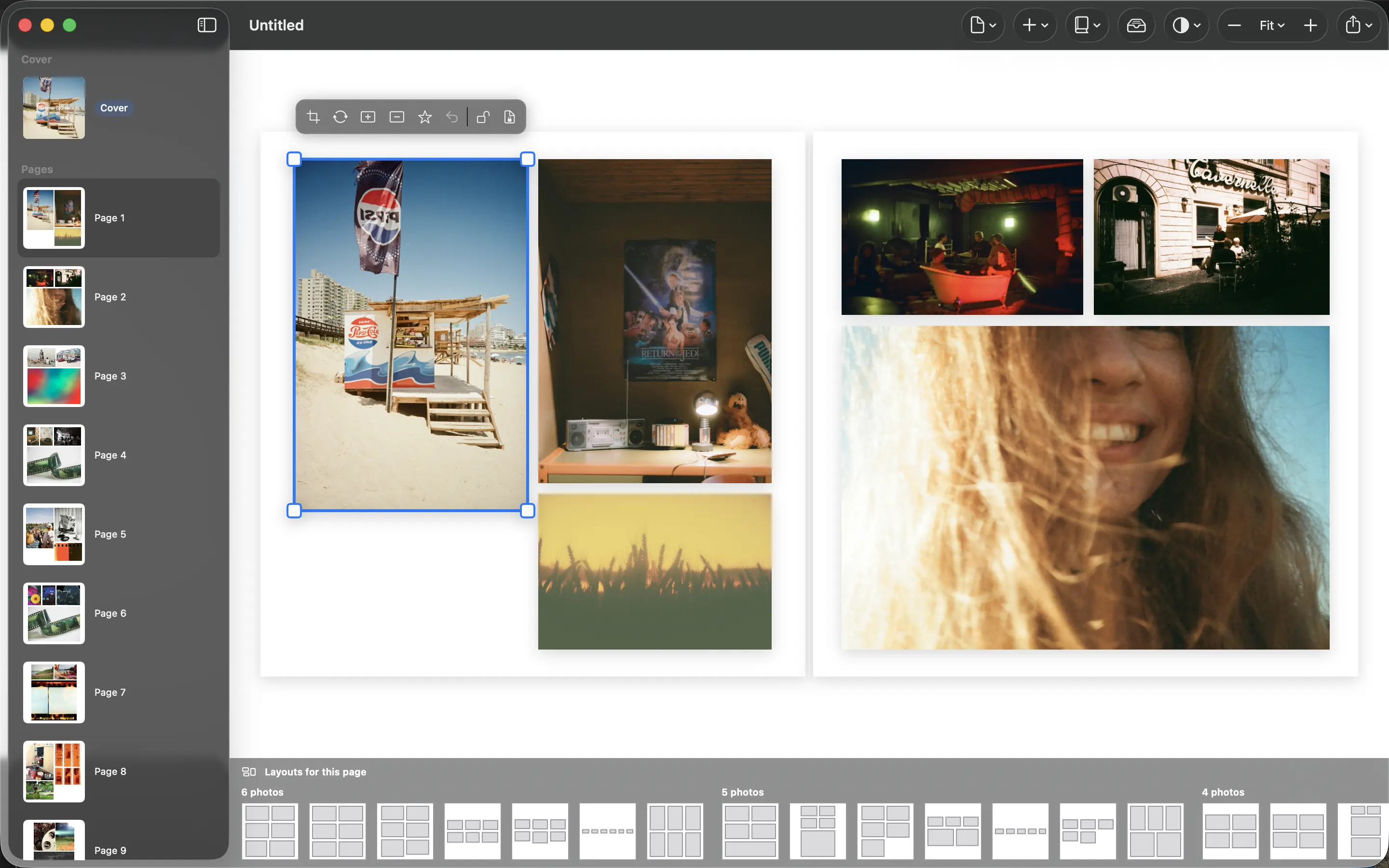
Use the page browser to select the cover or an interior page. The main canvas shows the selected spread; the layout strip offers alternatives for the selected page. Select a photo to reveal its crop, replacement, emphasis and lock actions.
The Page menu affects the selected page; Book contains book-wide appearance, rebuilding and format controls. Add offers text and remaining-photo placement. Photos opens the unplaced-photo tray. Use the zoom controls or Fit Spread to inspect the whole spread again.